TLDR: I struggle with keeping pace with the latest AI research. My latest attempt at tackling this is to have an automated newsletter sent to me with the summaries of interesting research resources that I added to my reading list the day before. (Because apparently my coping mechanism is “add more automation,” not “read the papers.”)
An example newsletter. I detail my process in this post.
The problem
I have been maintaining a reading list in a Notion database (my first brain) for a few years now . I clip/add any resources that I want to read to this list from my browser/phone. The goal is to have a quick way to collect resources without getting distracted by going too deeply into any particular one.
This system works well if I read through all the resources I added the day before on the next day. But as you have guessed by now, this doesn’t always happen, and now I am in a situation where the reading list has 2000 resources to read.
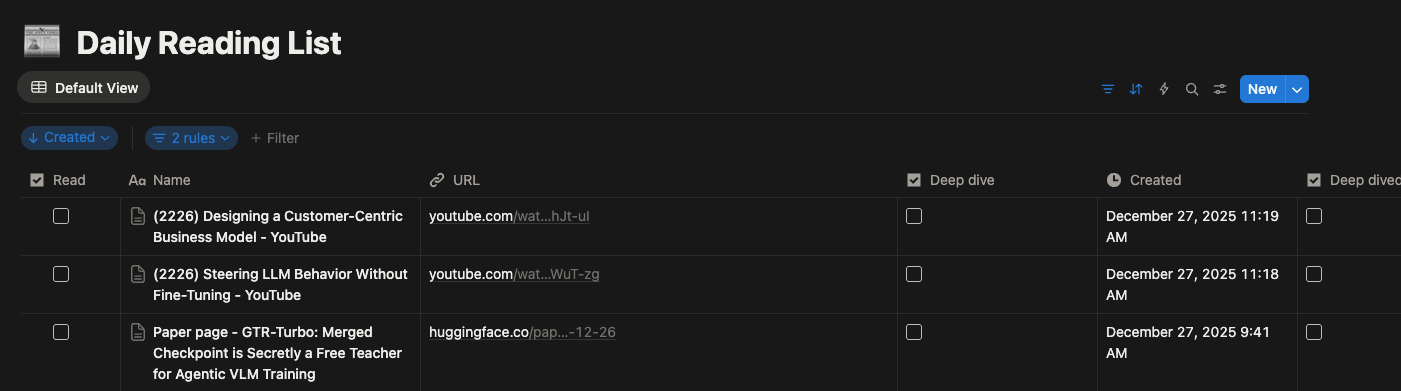
Hi! from my reading list
I have two problems at hand (that I want to acknowledge): one is clearing the big, gigantic list that brings me anxiety and stares at me every day, and the other is having a more efficient system to clear the things that are added from now on. This post is about the latter. (The former and I have agreed to make eye contact but not talk about it; the big, gigantic list can wait for now!).
The Duct-Taped Workflow
In my usual end of the year urge to make atleast the next year better, I have a new extension to the system. (One more workflow duct-taped onto the same chaos).
I am experimenting with an automated single-person newsletter. The system takes the links I added to the list the day before, fetches the content from the resources, and summarises the content (see the prompt and format below) into a daily newsletter that gets sent to me in the morning.
I hope this will at least give me an overview of the list and help me cover its breadth. If something interests me further, I’ll sit down to read it properly / take a deep dive.
I wanted to keep it simple without requiring any babysitting and also to be cheaper to run. Here is a breakdown of the system:
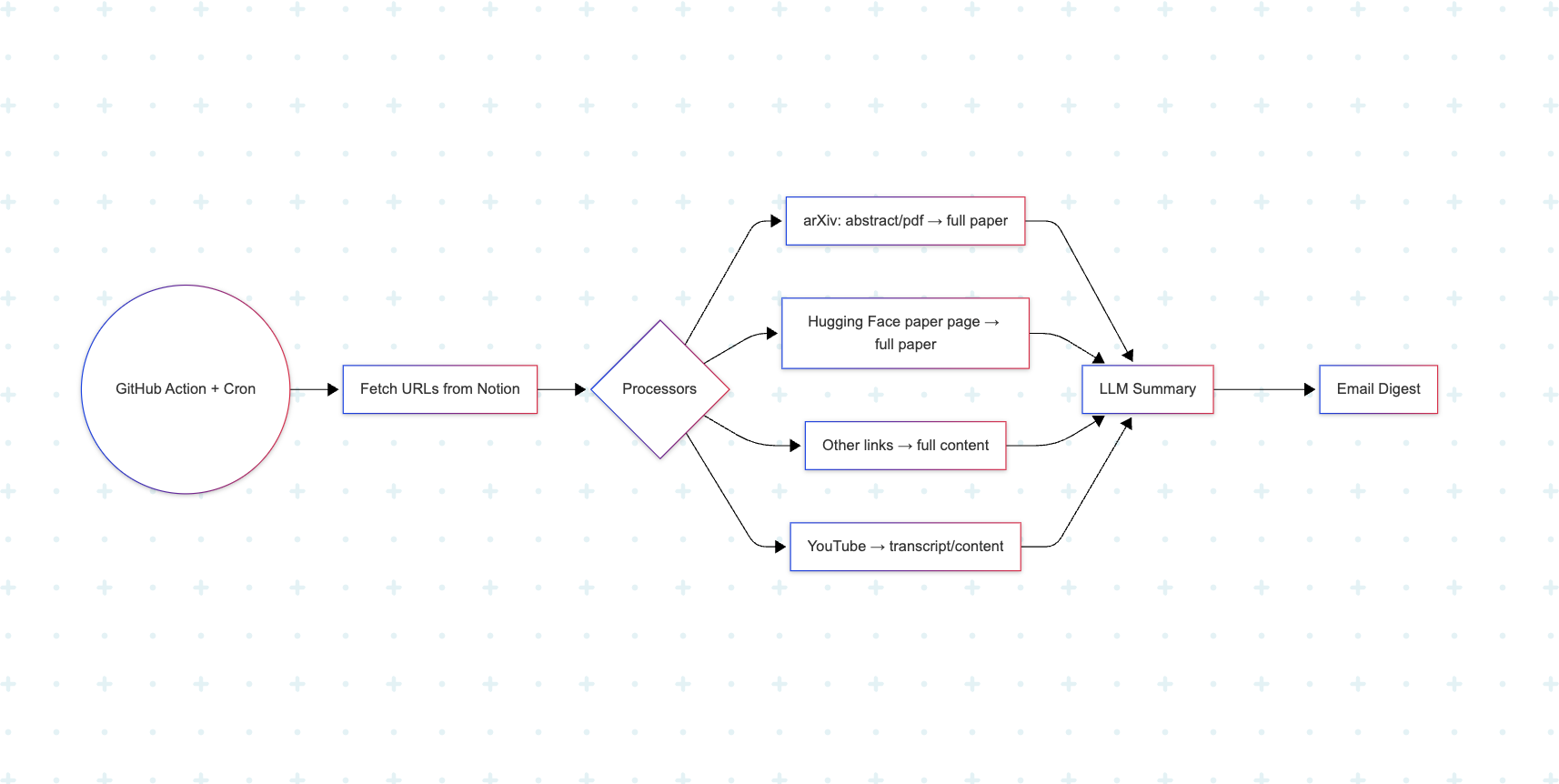
simple sketch of the workflow
- The system is a repository on GitHub - Selfletter.
- A GitHub Action is scheduled on the repo to run every morning to fetch the content from the lists I added the day before and send the newsletter to my email as a single digest after the summarisation and collation are done.
- It has an initial list of data processors to fetch content from:
- arXiv URLs - abstracts, PDFs → full paper
- Hugging Face paper page -> full paper
- Other resources → full content
- I use the Reader API from Jina.ai (r.jina.ai, Thanks Jina.ai!) to fetch the content for all the resources listed above.
- Pass it to an LLM (gpt-oss-120b) to summarize, and I use SMTP and Gmail with Google application passwords to send the email to myself.
Summary prompt
I follow Andrew Ng’s great advice on how and what to read from a paper. My summary prompt is based on that:
Summarize the following content:

Title: {title}
URL: {url}

CONTENT:
{content}

You should always create summaries capturing the below template as a markdown file (with accurate markdown formatting and structure), It is important to follow the template exactly without leaving any section empty:

## What did the author accomplish ?

 -  What

 -  Why

## What are the key elements of the approach ?

 -  How
    - How the approach is implemented
    - Embed one important image / diagram / code snippet from the content showing the approach (embed it in size suitable for email newsletter)

## What can you use yourself?
- important tools and resources from the content ( model links , dataset links , github links etc)
- recipies / methodologies discussed in the content
- hyperparameters / best practices discussed in the content
- other useful aspects that can be integrated into further research.

## Training compute:
- If the content discusses training compute - training hours , GPU used etc.

## References to further follow / read ?
- important references and links from the content
Using the repo
Feel free to try the repo and fork it to adapt to your needs. Keep in mind that this was created to suit my workflow ( and my chaos), if you like to adapt to yours - you can do it by fitting your workflow here
Repo: Selfletter
Acknowledgement and Gratitude:
- Thanks to Jina.ai for the free reader endpoint
- Thanks to Github Actions service for making this service simpler.
- Thanks to Andrew Ng’s advice. The prompt is based on the advice.
- This repo was mostly vibe coded with Blackbox Cli



